



360 Photo Booth Hybrid Event Sydney: Can Remote Staff Join?
Yes, a 360 photo booth can reach remote staff at a Sydney hybrid event, but not live. Remote colleagues can't step onto the platform. They get the clips afterwards, and a teammate in the room can forward one on the night. Here's what we've learned running 360 booths at Sydney corporate events at Shutter360: hybrid works when you plan the sharing step before the day. This guide covers what remote attendees receive, how to set up the handoff, and where a 360 booth falls short.
Key Takeaways
|
Can a 360 photo booth work at a hybrid event in Sydney?
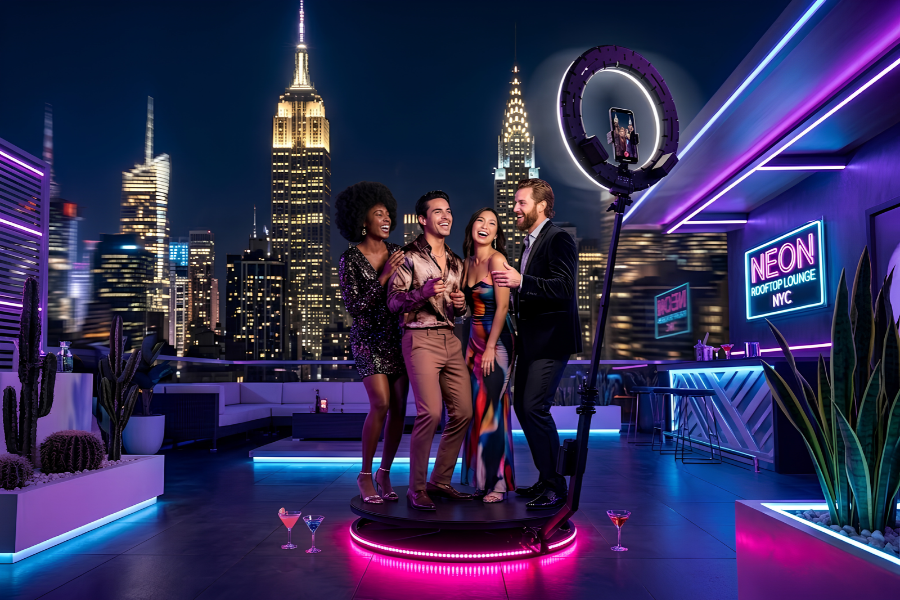
Yes, with one adjustment to what you promise. A 360 booth is built for people standing on it. The circular raised platform holds 6-8 guests per session, needs a clear 2m x 2m floor area, and records a slow-motion clip as the camera circles the group. Nobody can join a session from a screen.
Remote staff can still be part of the event, though. They join through the output. The ABS reported that 36% of employed people usually worked from home in August 2025 (Working arrangements, August 2025), so a hybrid guest list is a normal brief for corporate photo booth hire in Sydney now. Booth clips are the easiest thing at the party to share with people who weren't there. They're short, they're visual, and they show colleagues enjoying themselves.
Treat the booth as a content source for the whole team, including the people at home. That one change shapes everything else you plan.
What remote attendees receive, and when
Three groups see the content. Each gets it at a different time.
Who | What they get | When |
|---|---|---|
Guest in the room | Their own slow-motion clip by QR code, SMS or email | At the booth, after their session |
Remote colleague | Clips from the online gallery, or one forwarded by a teammate | Forwarded on the night, or gallery within 24 hours |
Event organiser | The full online gallery of every clip | Within 24 hours of the event |
Guests receive their clip by QR code, SMS or email at the booth, so a colleague in the room can forward it to a teammate on the call. Everyone else waits for the online gallery, which we deliver within 24 hours. Your organiser then drops the link into Teams, Slack or the intranet. Because the overlay and music are customised per event, the branding on each clip is yours. If you're new to the format, here's how a 360 photo booth works.
Plan the handoff before the day
Most hybrid problems start when the booth and the remote experience get planned separately. Put them in one brief. A pre-event briefing form goes out 4 weeks before the event and everything is finalised 2 weeks before, which gives you a natural place to settle this. Work through these steps:
Name one person who owns the gallery link and decide where it will be posted.
Tell remote staff in the invitation what they will receive, and when.
Ask the attendant to encourage in-room guests to send clips to remote teammates.
Set a posting time for the gallery link, such as the morning after.
Check your staff-content policy before clips go on company channels.
Step 5 matters more than people expect. Some staff won't want a clip on the intranet, so ask first.
What does 360 photo booth hire cost for a hybrid event?
The starting price is 585+GST(643.50 inc GST). That covers a professional attendant for the full hire, unlimited sessions, and the online gallery within 24 hours. Setup and pack-down take 15-20 minutes and sit outside your hire time. Delivery is free across the Hills District and Western Sydney (25km radius from Quakers Hill), and travel and parking fees elsewhere are communicated upfront.
Gallery delivery is part of the hire, so reaching remote staff costs you planning time and nothing more. What you're paying for is preparation. We carry two ring lights and spare cables to every event, so a remote audience waiting on the results doesn't depend on a single cable. The full range sits on our Sydney photo booth hire page.
Where does a 360 booth fall short for remote staff?
Real-time participation. Live streaming isn't part of our standard 360 hire, and remote colleagues won't appear in a clip unless they're standing in the room. If your brief says remote staff must take part live, pair the booth with a streaming provider or add a web-based virtual booth for the remote audience.
That split works well. The in-room team gets the spectacle of the 360 platform. Remote staff get a simple, separate way to join. Don't ask one product to do both jobs. A booth that does one thing well beats a booth that does two things badly. Be straight with your team in the invitation, too. Promise clips and a gallery, and nobody feels shortchanged when no livestream appears.
Frequently asked questions
Can remote staff appear in a 360 photo booth clip?
Only if they are physically on the platform. A 360 booth records people in the room. Remote staff can watch, react and share the clips afterwards. If remote staff need to capture their own content, a web-based virtual booth suits that job better.
How soon do remote colleagues see the clips?
Guests in the room receive their clip by QR code, SMS or email at the booth and can forward it straight away. The full online gallery arrives within 24 hours, so remote colleagues can watch every clip the next morning, whenever it suits their schedule.
Can the clips carry our company branding?
Yes. We customise the overlay and music for each event, so every clip carries your branding wherever it gets shared. Send your brand assets with the pre-event briefing form so the design is locked in 2 weeks before the event.
A briefed, backed-up 360 booth gives the room a great night and gives remote colleagues something to watch the next morning. Get a quote for your hybrid event and tell us how many people will be remote.
Sources
Ready to Capture Every Moment?
Bring the WOW factor to your next event with Shutter360's photobooth experience. Enquire today and let's make it unforgettable.